

SendMailer Pro – Personalized Bulk Email & Document Delivery
WebSite: SendMailer Pro – Personalized Bulk Email Software for Windows
Price: $29.99 / Free for Premium Members
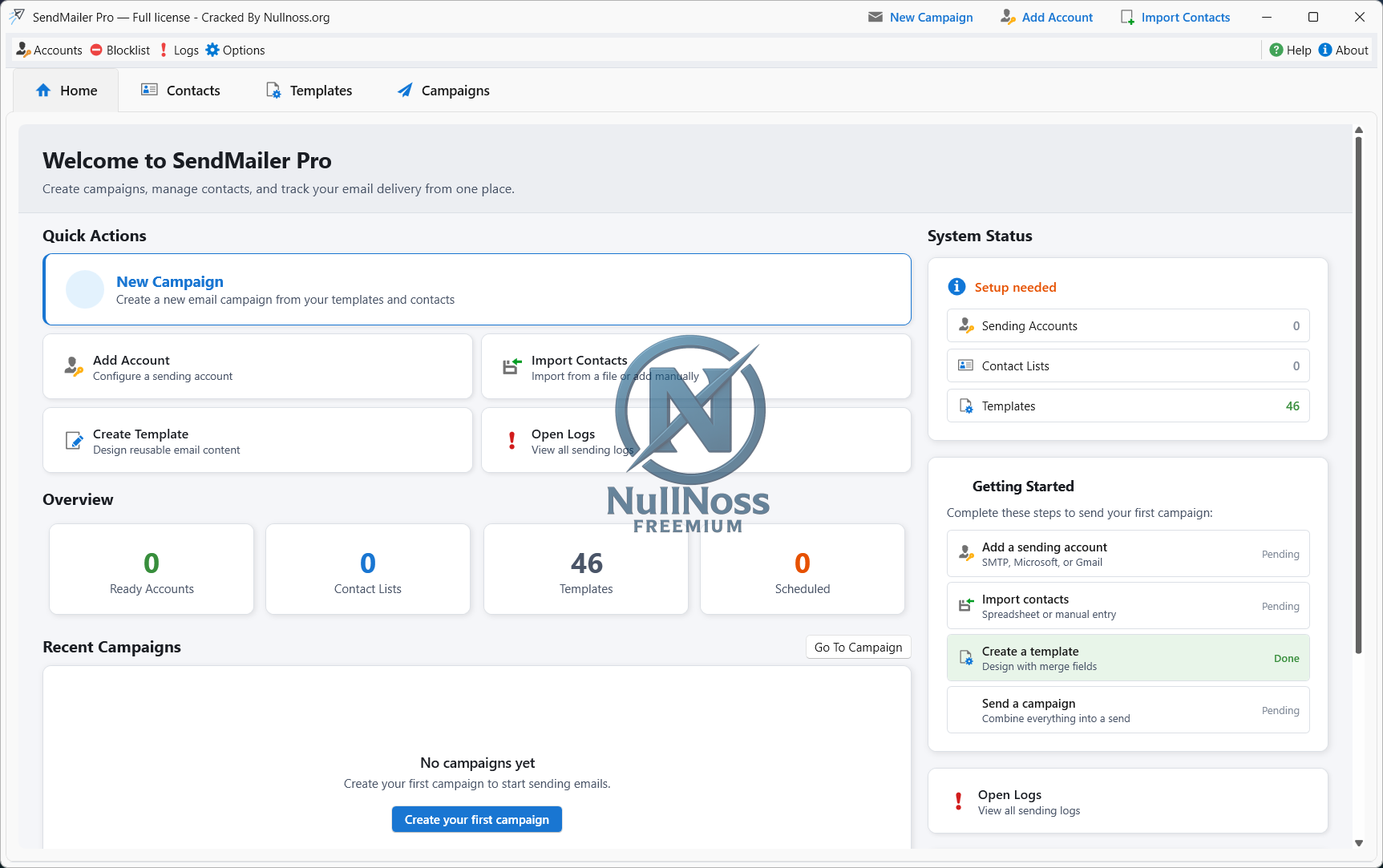
SendMailer Pro brings contacts, templates, accounts, campaign setup, and delivery control into one professional Windows app. Schedule campaigns, preview and test messages, use multiple sender accounts when needed, and keep your workflow under control from start to finish.
Core campaign data is stored locally on your PC, while email is sent through your selected provider.
SendMailer Pro is built for businesses and professionals who need more control than basic mail merge tools and less overhead than a large web-based marketing platform. It is especially useful for customer updates, onboarding emails, document delivery, invitations, confirmations, project follow-ups, and other personalized business communication.
Personalized emails that stay relevant
Use merge fields in both the message body and subject line, preview the result before sending, and send a test message before launching a full campaign.
Recipient-specific attachments
Generate PDF, Word, or text attachments individually for each recipient from your templates and contact data.
Protected document delivery
Password-protect generated PDF and Word attachments with recipient-specific values from your contact list when sending invoices, statements, onboarding files, or other confidential documents.
Guided campaign workflow
Choose your audience, template, sending accounts, attachments, and delivery settings step by step, then review everything before sending or scheduling the campaign.
Flexible sending control
Send immediately or schedule for later, control the interval between messages, and use one or more sending accounts in your preferred order.
Reliable account handling
Test accounts before sending, work with multiple sender accounts, and let the app pause problem accounts after repeated errors so your campaign can continue with the healthy ones.
Organized contacts and reusable templates
Import contacts from XLSX, XLS, CSV, or TXT files, manage lists and folders, and keep reusable templates ready for future campaigns.
Logs, reports, and recovery
Track sending progress live, review delivery logs, retry failed recipients, export campaign statistics to PDF or Excel, and use backup/restore to protect your work.
/
Download
WebSite: SendMailer Pro – Personalized Bulk Email Software for Windows
Price: $29.99 / Free for Premium Members
Personalized email campaigns and document delivery from your Windows desktop
Create tailored emails, generate recipient-specific attachments, and send through your own email accounts — without moving your contact database into a third-party web platform.SendMailer Pro brings contacts, templates, accounts, campaign setup, and delivery control into one professional Windows app. Schedule campaigns, preview and test messages, use multiple sender accounts when needed, and keep your workflow under control from start to finish.
Core campaign data is stored locally on your PC, while email is sent through your selected provider.
SendMailer Pro is built for businesses and professionals who need more control than basic mail merge tools and less overhead than a large web-based marketing platform. It is especially useful for customer updates, onboarding emails, document delivery, invitations, confirmations, project follow-ups, and other personalized business communication.
FEATURES:
Personalized emails that stay relevant
Use merge fields in both the message body and subject line, preview the result before sending, and send a test message before launching a full campaign.
Recipient-specific attachments
Generate PDF, Word, or text attachments individually for each recipient from your templates and contact data.
Protected document delivery
Password-protect generated PDF and Word attachments with recipient-specific values from your contact list when sending invoices, statements, onboarding files, or other confidential documents.
Guided campaign workflow
Choose your audience, template, sending accounts, attachments, and delivery settings step by step, then review everything before sending or scheduling the campaign.
Flexible sending control
Send immediately or schedule for later, control the interval between messages, and use one or more sending accounts in your preferred order.
Reliable account handling
Test accounts before sending, work with multiple sender accounts, and let the app pause problem accounts after repeated errors so your campaign can continue with the healthy ones.
Organized contacts and reusable templates
Import contacts from XLSX, XLS, CSV, or TXT files, manage lists and folders, and keep reusable templates ready for future campaigns.
Logs, reports, and recovery
Track sending progress live, review delivery logs, retry failed recipients, export campaign statistics to PDF or Excel, and use backup/restore to protect your work.
/
Download
Hidden content
You need to reply to this thread in order to see this content.
Or upgrade your account. See details
Or upgrade your account. See details


